

The best math app for your child depends on which of two jobs you need done. Drill apps build fast, accurate recall of facts and routine skills; Khan Academy Kids, SplashLearn and Prodigy sit mostly here. Thinking apps give unfamiliar problems with hints and a second try; Beast Academy, DragonBox and Gonit sit mostly here. Decide the job first, then run the 15-minute test below with your child before the trial renews.
- Drill App or Thinking App? Decide the Job First
- Best Math Apps for Kids, Compared by Job
- Best Math Apps for Kids by Age and Grade
- The 15-Minute Test to Run Before You Pay
- Why Streaks and Minutes Don't Tell You Much
- What If the App Passes Half the Test?
- Your Decision Before the Trial Renews
- Frequently Asked Questions
- Related guides
Key takeaways
- Decide the job first: quick recall of facts, or thinking through problems your child hasn’t seen before.
- Popularity and star ratings say nothing about which job an app does.
- Run a 15-minute test with your child, starting with one wrong answer on purpose.
- Make the keep, add or cancel call before the trial renews.
The notification lands just after dinner: a seven-day streak and a new badge. Your child taps through the evening set in four minutes and hands the tablet back. Then a word problem comes home from school, one that looks like nothing in the app, and it stalls at the first line. The free trial becomes a subscription on Friday.
No ranked list can tell you which job the app in your hand is doing for your child. The list below sorts the well-known apps by job and by age, and the test after it tells you what the app actually does when your child gets something wrong.
Drill App or Thinking App? Decide the Job First
Math apps do two different jobs. Drill apps build fast, accurate recall of facts and routine skills. Thinking apps give unfamiliar problems, with hints and a second try when your child gets stuck. Most apps lean one way, a few do both, and the one your child needs depends on where they are stuck right now.
| Drill: fact speed and routine skills | Thinking: unfamiliar problems | |
|---|---|---|
| What you see on screen | Many short questions, points for speed and instant right or wrong | Fewer and longer problems with hints and a second try |
| When it’s the right job | Your child understands the idea and needs it to come quickly | Your child knows the facts but freezes when a problem looks new |
| What it won’t do | Show your child how to start a problem that looks unfamiliar | Make times tables quicker |
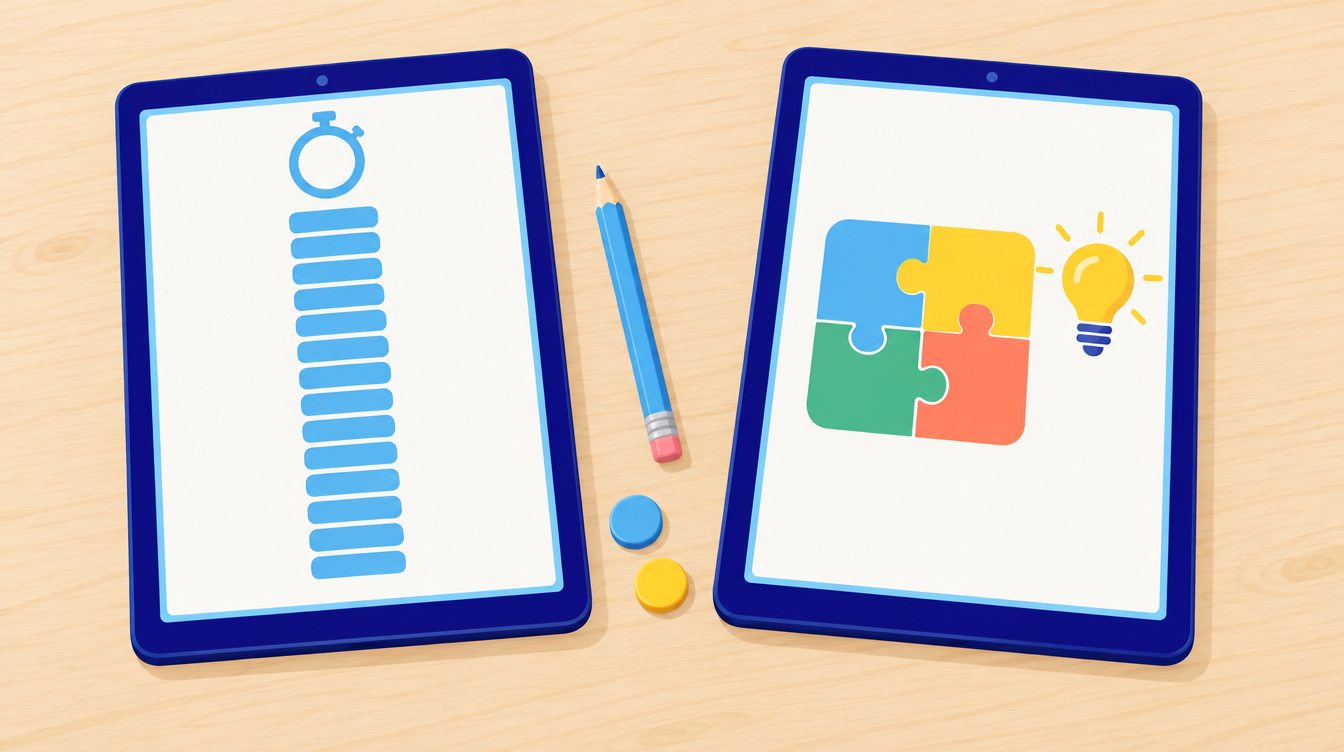
Drill deserves a fair hearing. The National Council of Teachers of Mathematics (NCTM) describes fluency as applying procedures efficiently, flexibly and accurately, including knowing which strategy fits, so quick recall is only one part of it. NCTM also says that “conceptual understanding must precede and coincide with instruction on procedures.” Once your child understands what multiplication means, practice that makes the facts quick is time well spent, and a good drill app does that job well.
One caution comes with it: NCTM says timed tests don’t measure fluency. A child racing a clock in an app is showing you speed, which is one slice of fluency. Many families need both jobs; just know which one you’re paying for.
Best Math Apps for Kids, Compared by Job
Nine apps you’ll meet on most lists, sorted by the job they do rather than ranked. Run the five checks further down on whichever one you’re considering, Gonit included.
| App | Mainly does | Ages | Cost model | Watch this check most |
|---|---|---|---|---|
| Khan Academy Kids | Both, early years | 2–8 | Free, no ads, no subscription | Checks 1 and 3 |
| Khan Academy | Thinking, instruction-led | K–12 | Free | Check 2 |
| Prodigy | Drill inside a game | Grades 1–8 | Math content free; optional membership | Check 2 |
| SplashLearn | Drill, adaptive games | Pre-K–5 | Free tier plus family subscription | Check 1 |
| Zearn | Lesson-led curriculum | K–8 | Free | Check 4 |
| DreamBox | Adaptive drill and practice | K–8 | Subscription | Check 5 |
| DragonBox | Thinking, concept-first | 4–14 | One-time purchase per app | Check 3 |
| Beast Academy | Thinking, puzzle-heavy | 6–13 | Subscription | Check 4 |
| Gonit | Thinking, olympiad-style | Grades 1–12 | Free download plus Premium | Checks 1 and 2 |
Prices move and published figures disagree with each other, sometimes by a factor of two for the same app in the same month. Check the current price on the App Store or Google Play listing itself before you commit, not on a roundup.
Free Apps Worth Testing First
Khan Academy Kids is genuinely free for ages 2 to 8, with no ads, no paywall and no subscription tier. It covers early counting, shapes, patterns and the beginnings of addition. The limitation is the ceiling: content thins out around second grade, so families usually move on from it rather than grow into it.
Khan Academy, the main platform, runs K–12 and is also free. It is instruction-led rather than game-led, built around video explanations and practice sets. That makes it strong for a child who will sit through an explanation and weak for a child who needs the app itself to supply the motivation.
Zearn offers a free K–8 math curriculum used in schools. It is structured and lesson-shaped, which suits a child filling a specific gap and frustrates a child who wanted something that felt like a game.
Game-Led Apps
Prodigy wraps math practice in a role-playing game. Its math content is free and memberships are optional. Game rewards are exactly where the fast-tap check earns its place: a child who wants to get back to the game has a reason to answer quickly rather than carefully.
SplashLearn covers Pre-K to grade 5 with a large library of game-based activities and a free tier. Breadth is the strength and also the trade-off — a lot of short activities, less time on any single idea.
DreamBox is adaptive K–8 practice that adjusts difficulty as a child works. It is subscription-only and school-oriented, so it is worth checking whether the parent report tells you anything you can act on at home.
Thinking-Job Apps
DragonBox is a suite of separate concept-first apps covering numbers, algebra and geometry for ages 4 to 14, usually sold as one-time purchases. Each app teaches a concept through play and then ends, so it is a short, deep experience rather than daily practice.
Beast Academy is puzzle-heavy elementary math from Art of Problem Solving, for roughly ages 6 to 13. It is the strongest thinking-job option on this list and the most likely to frustrate. The stuck check matters more here than anywhere else: watch whether your child enjoys being stuck or shuts down.
Gonit is olympiad-style practice for grades 1–12, with 10,000+ original questions sorted by grade and by topic, from number sense and algebra to geometry, logic and probability. Parents get their own access to follow each child’s progress, and results show accuracy by topic.
Two honest limits on our own app. Gonit is not built for times-table speed and it is not a full school curriculum — if the job you need is fact fluency, a drill app does it better. And hints and step-by-step solutions are Premium, so check 1 needs the trial to run properly. Gonit also has streaks, badges and XP, so give it the fast-tap check as firmly as anything else on your list.
Best Math Apps for Kids by Age and Grade
Age narrows the list faster than any ranking does, because most of these apps have a hard ceiling or floor.
| Age | Grade | Free option to try first | If you want the thinking job | What the unfamiliar problem looks like at this age |
|---|---|---|---|---|
| 2–5 | Pre-K–K | Khan Academy Kids | DragonBox Numbers | A picture puzzle or a “how many ways” question |
| 6–8 | 1–3 | Khan Academy Kids, Zearn | Beast Academy, Gonit | A one-step problem with no worked example to copy |
| 9–11 | 4–6 | Zearn, Khan Academy | Beast Academy, Gonit | A problem needing a plan before any arithmetic |
| 12+ | 7+ | Khan Academy | Gonit | A two- or three-step problem with the steps unstated |
Two notes on using this table. Khan Academy Kids and the main Khan Academy are separate apps with different audiences, and the handover usually happens around second or third grade. And a child at the top of an app’s stated age range is often the one who needs check 3 most, because the content may have stopped stretching them before the subscription ran out.
The 15-Minute Test to Run Before You Pay
Sit next to your child for one normal session in the free version or the trial. Don’t coach or help. Watch for five moments, in this order.
- Wrong on purpose. Have your child answer one question wrong. Does the app show why it’s wrong? Does it offer a hint and a second try, or flash the right answer and move on? You’re looking for: an explanation or a second chance.
- The fast-tap check. Time ten questions. Is your child thinking or tapping? Could the rewards be earned by guessing quickly? You’re looking for: questions that slow your child down in a good way.
- The unfamiliar problem. Does the app ever give a problem with no worked example to copy, one that needs a plan before a sum? You’re looking for: at least a few problems where your child has to decide how to start.
- Stuck. When your child is truly stuck, what happens next? A hint, an easier question or a skip? You’re looking for: a hint that still leaves the thinking to your child.
- The parent screen. Open the report. Does it show what your child can now do (accuracy by topic, the kind of problem they keep missing) or only minutes, streaks and badges? You’re looking for: something you could act on next week.

Writing about apps for preschoolers, Stanford’s DREME network suggests asking whether an app requires “active problem-solving,” whether it involves “more than remembering number facts” and whether the feedback for incorrect responses is encouraging. The same questions carry up well to older children. DREME also advises against deciding right away, since a child often needs time to get the hang of an app. If the first session is clumsy, run it again on another evening.
The test is a quick read of what an app does with your child, not a full review of it.
Why Streaks and Minutes Don’t Tell You Much
Streaks and minutes count use, not learning. An app can show a long streak while doing a job your child doesn’t need.
A 2015 review of the science of learning (Hirsh-Pasek and colleagues) calls an app educational when it gets children active, engaged, making meaning and talking with someone, around a clear learning goal. “Active” in that sense means minds-on: a child working something out, which can look very different from a finger tapping fast. A streak can’t show you which of the two is happening.
This matters because of what a wrong choice costs. A trial, then a month or a year of subscription, can go to an app doing a different job from the one your child needs. A child can also get very good at answering fast without learning what to do when a problem looks new — the word problem on the kitchen table. Give it a few months and a child may start to believe that math means tapping fast.
Popularity has the same blind spot. An app near the top of a ranked list is near the top because many people downloaded it, which says nothing about whether it does the job your child needs this term.
What If the App Passes Half the Test?
Most apps won’t land cleanly on one side. This is how we’d read a mixed result:
| What you saw | What it tells you | What we’d do |
|---|---|---|
| Mostly fast answers with right or wrong only | A drill app | Keep it for facts and add thinking practice elsewhere |
| Hints, second tries and unfamiliar problems | A thinking app | Keep it and check your child isn’t stuck for long without help |
| Speed rewards, no hints and a report of minutes | Neither job done well for your child | Cancel before the trial ends |
Keeping a drill app is a sound choice for fact speed, as long as the idea came first. Pair it with something slower, like puzzles that test thinking without a screen. If your child races through everything and looks bored, start with our guide to math enrichment for the child who finishes first.
Adjust check 3 for age, using the table above. With a younger child, a lot of that habit can be built in conversation away from the tablet, and our parent’s guide to critical thinking for kids has ideas you can use at home.
If check 4 left your child frozen, our guide on how to solve math olympiad problems walks through ways to make a start. Still unsure about paying? Try some free olympiad training online first and see how your child takes to it. If the trouble is specifically with word problems, how to solve math word problems is the more direct guide.
Your Decision Before the Trial Renews
After one 15-minute sitting, you’ll know which job the app on your child’s tablet is doing. You’ll make the keep, add or cancel call before the renewal date, and if the answer is cancel, the money stays where it is.
The streak notification will still arrive tonight. It just won’t be the thing that decides. And that word problem from school? You’ll know whether the app ever asks your child to face one like it, and if not, what to add.
If the job you need is thinking through olympiad-style problems at your child’s grade, run the five checks on Gonit during the trial, starting with one wrong answer on purpose. Gonit is free to download, with a Premium subscription. Premium is a paid, auto-renewing subscription; eligible accounts get a 7-day free trial.
Make Preparing for Math Olympiad Simple!


Frequently Asked Questions
What is the best math app for kids?
There isn’t one answer, because math apps do two different jobs. If your child needs faster recall of facts, a drill app like SplashLearn or Prodigy fits. If your child knows the facts but freezes on unfamiliar problems, a thinking app like Beast Academy, DragonBox or Gonit fits better. Decide the job first, then test the app on that job.
What is the best free math app for kids?
For ages 2 to 8, Khan Academy Kids is free with no ads and no subscription tier. For older children, the main Khan Academy platform and Zearn both offer free K–8 or K–12 math. Free apps are worth testing before any paid one, because they answer the job question at no cost.
Are math apps actually good for kids?
It depends on what the app does, not on how much a child uses it. A 2015 review of the science of learning describes an educational app as one that gets children active, engaged, making meaning and talking with someone, around a clear learning goal. An app that rewards fast tapping meets few of those conditions, however long the streak gets.
How much screen time should math practice take?
For most primary-age children, 10 to 20 minutes of focused practice does more than an hour of tapping. If your child finishes an evening set in four minutes, the problem is usually the difficulty level rather than the time limit.
What age should a child start using a math app?
Apps built for ages 2 to 5 focus on counting, shapes and patterns rather than arithmetic, and they work best alongside an adult. From around age 6, a child can use a math app more independently, which is also the point at which choosing between the drill job and the thinking job starts to matter.
Do math apps help with times tables?
Yes, that is exactly what a drill app does well. Practice that makes facts quick is time well spent — but NCTM’s position is that conceptual understanding should come first, so make sure your child understands what multiplication means before paying for speed practice.
Should my child use more than one math app?
Often yes, and this is the most common sensible outcome of the test. A drill app for facts plus something slower for thinking covers both jobs. Running two apps that do the same job is the thing to avoid.
How do I cancel a math app subscription before it renews?
Subscriptions bought through an app are cancelled in the App Store or Google Play account settings, not inside the app itself. Cancelling usually keeps access until the end of the paid period. Check the renewal date on the day you start the trial so the decision does not arrive by surprise.
Are math apps enough on their own?
No app replaces school math or a conversation with your child about how they worked something out. The 2015 review puts talking with someone among the conditions for an app to be educational, which is an argument for sitting beside your child occasionally rather than handing over the tablet.
Related guides
- Which math olympiad is best for kids
- Math olympiad questions by grade
- How to solve math word problems

Bianca R. Samuels holds a Bachelor's degree in Mathematics and writes about building strong problem-solving foundations for young learners. Based in the United States, she focuses on making early math concepts clear, practical, and genuinely engaging for students and parents alike.


There are no comments posted here yet.
Sign in to leave a comment